How does SwipePurge delete photos safely?
Photos are queued first. Users confirm deletion in a final review step, which reduces accidental removal.
FAQ
Clear answers about swipe cleanup, safe delete review, iPhone storage savings, and daily progress workflows.
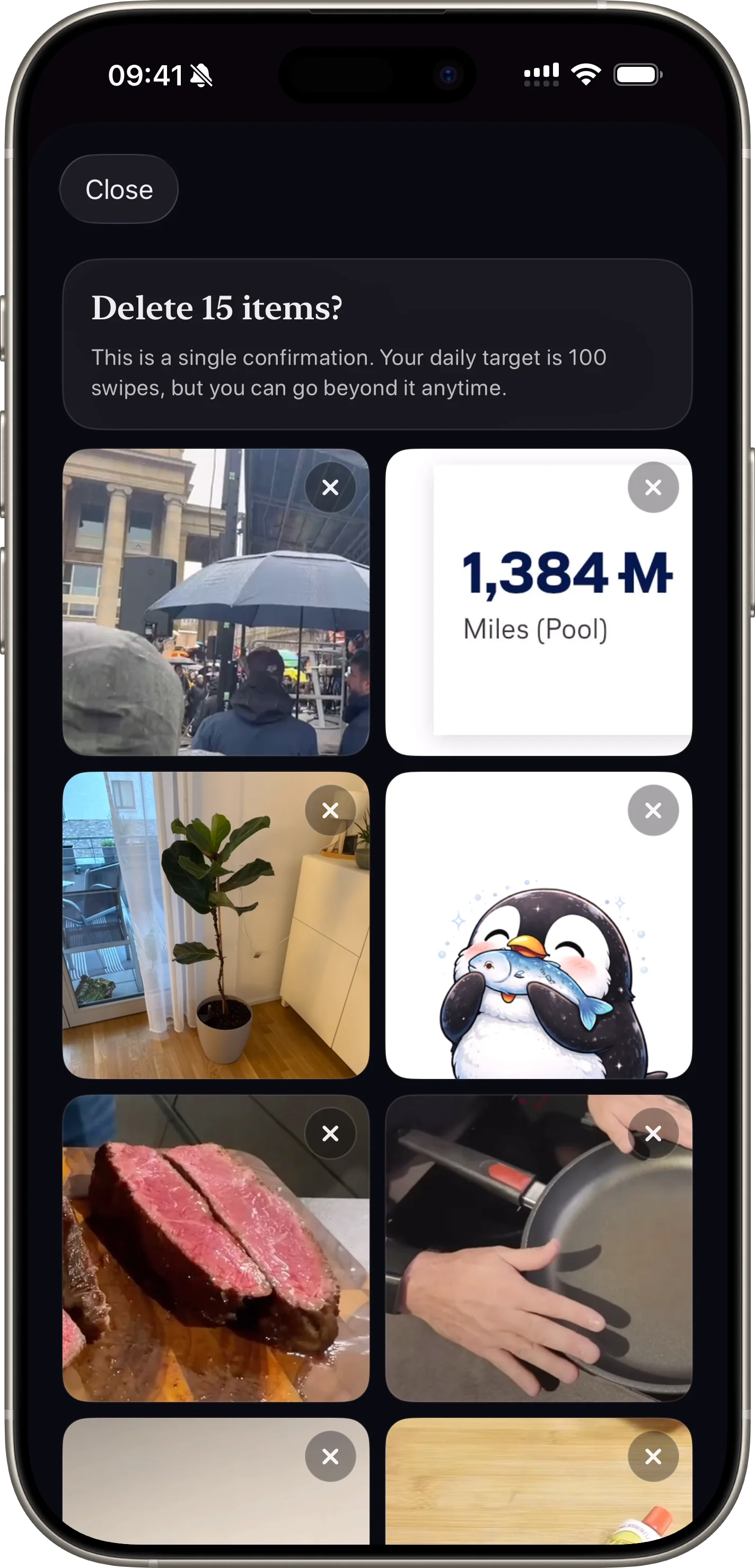
Photos are queued first. Users confirm deletion in a final review step, which reduces accidental removal.
Yes. SwipePurge supports category and album lanes so users can target the exact media type they want to clean.
Yes. The app tracks deleted totals and estimated storage reclaimed so users can see concrete progress.
Yes. Users can set a daily swipe goal and optional reminder notifications to build a repeatable cleanup habit.
Progress and queued items are preserved, so users can continue later without losing momentum.
Yes. Pending items can be reviewed and confirmed from the inbox flow before anything is permanently removed.
Yes. The app is designed for high-volume libraries by splitting cleanup into focused, fast sessions.
SwipePurge is available on the App Store via the download links on this website.
Explore the full feature pages for lane filters, safe delete confirmation, progress tracking, and daily cleanup workflows.
Features