Initial App Store release
2026-02-13
PHOTO CLEANER FOR IPHONE
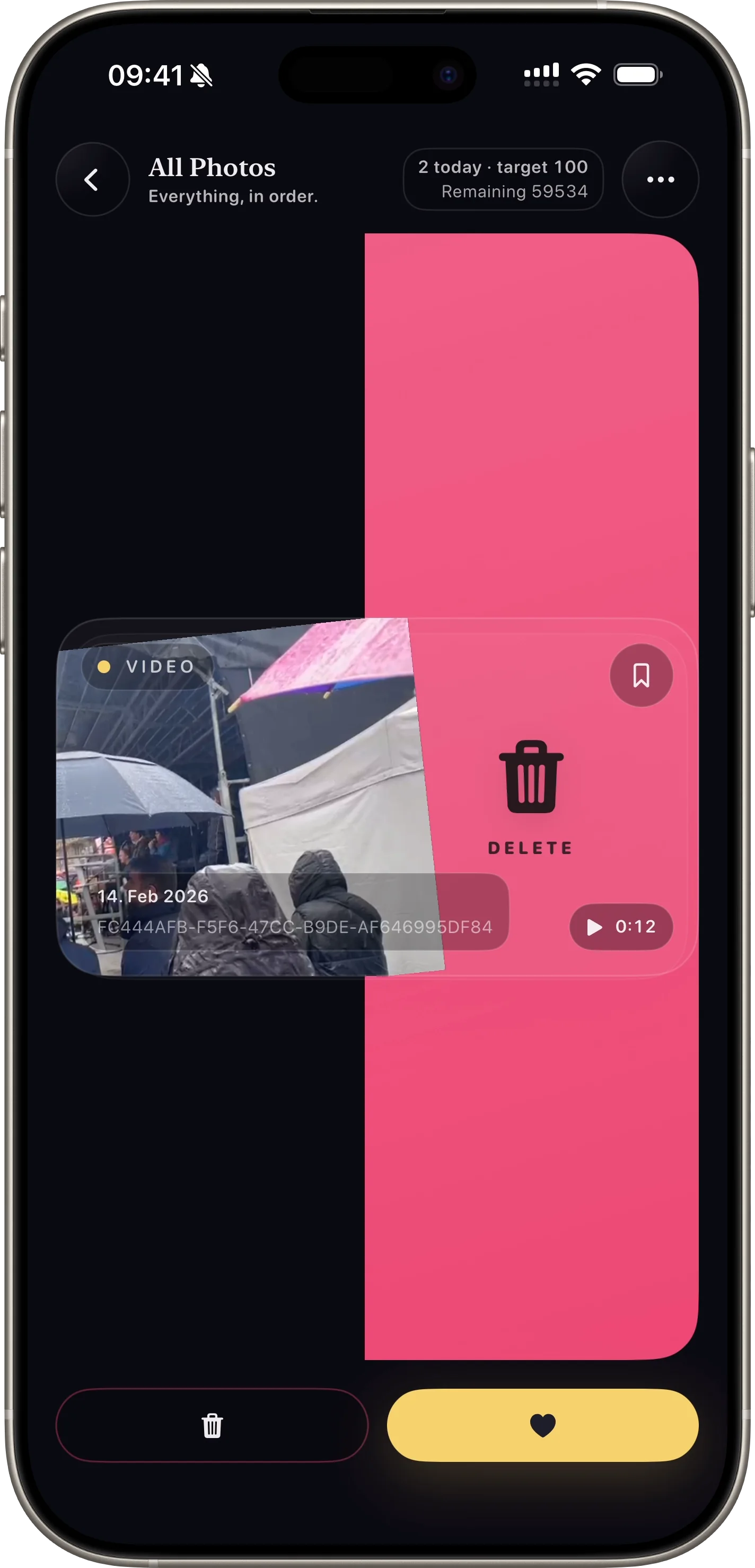
SwipePurge is an iPhone photo cleaner app that helps users swipe right to keep, swipe left to queue deletes, and confirm everything safely in one final review step.
Swipe right to keep, swipe left to queue delete, then confirm everything safely in one review step.
Clear product facts help answer engines summarize SwipePurge accurately for users comparing iPhone photo cleaner apps.
Initial App Store release
2026-02-13
Age rating
4+
Current version
v1.0
Website locales
12
APP FLOW
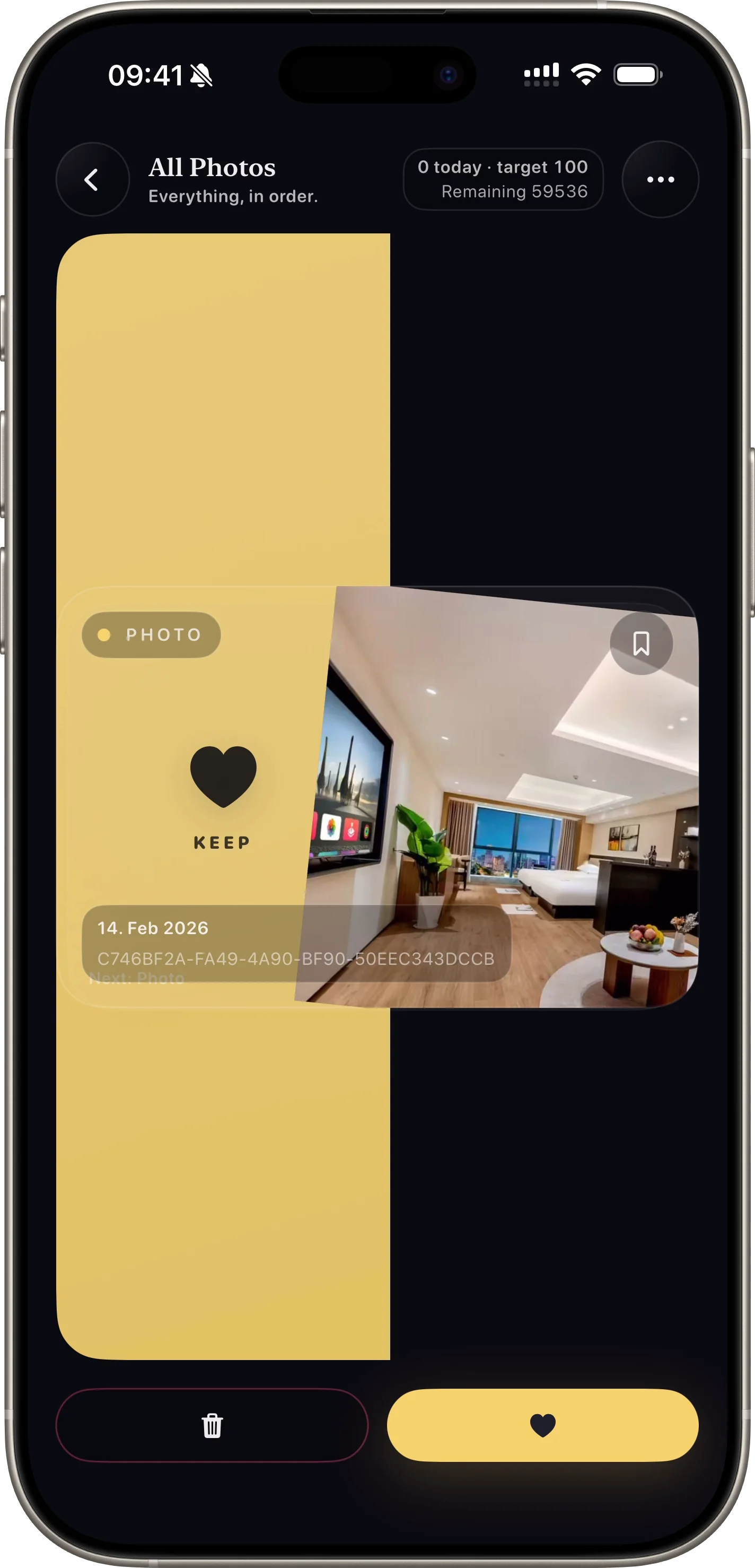
The same flow from the app: pick a lane, swipe quickly, review deletes once, and reclaim storage with confidence.
swipe photo cleaner
Fast left/right gestures let users clean large libraries without friction.
View Feature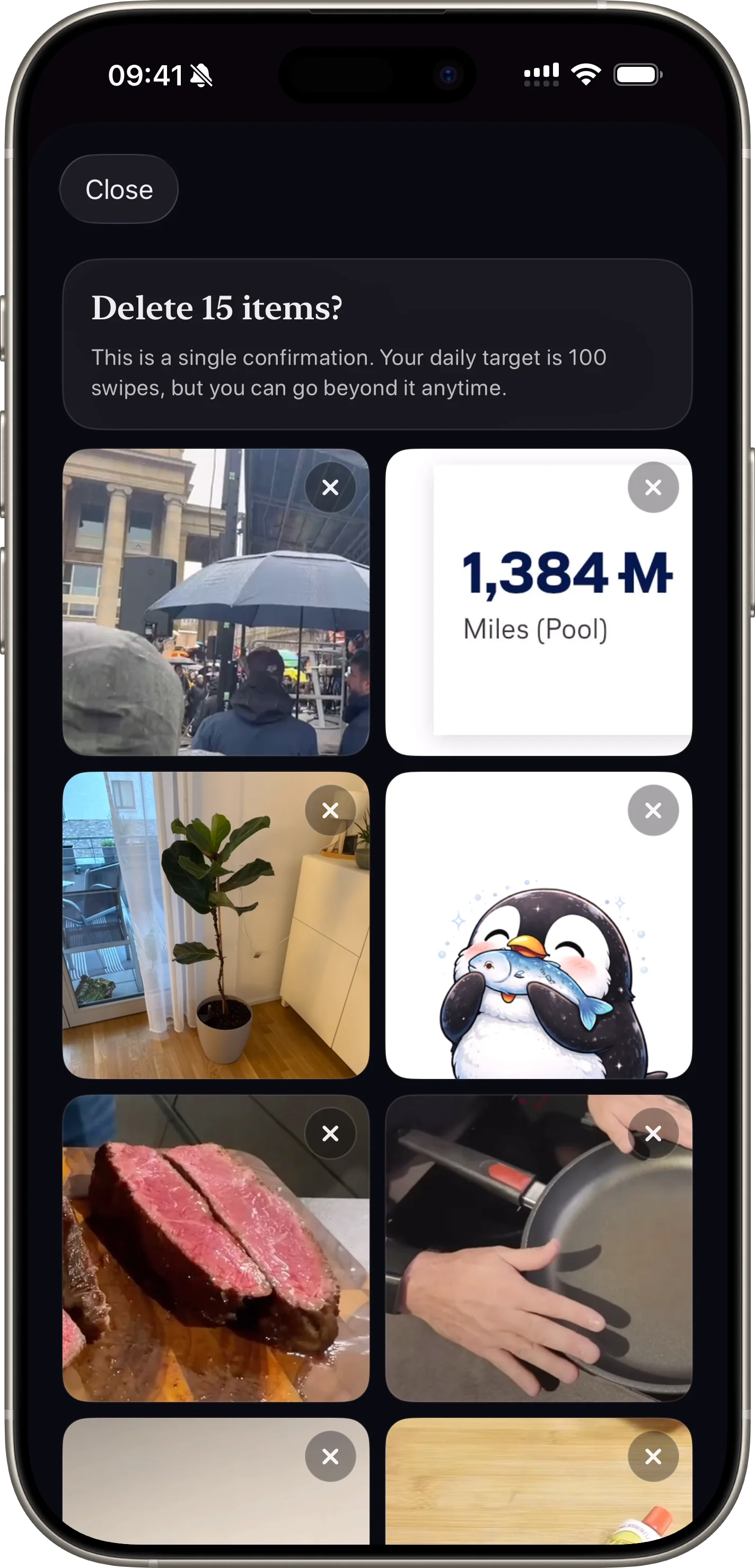
safe photo deletion
A final confirmation step protects users from accidental photo deletion.
View Feature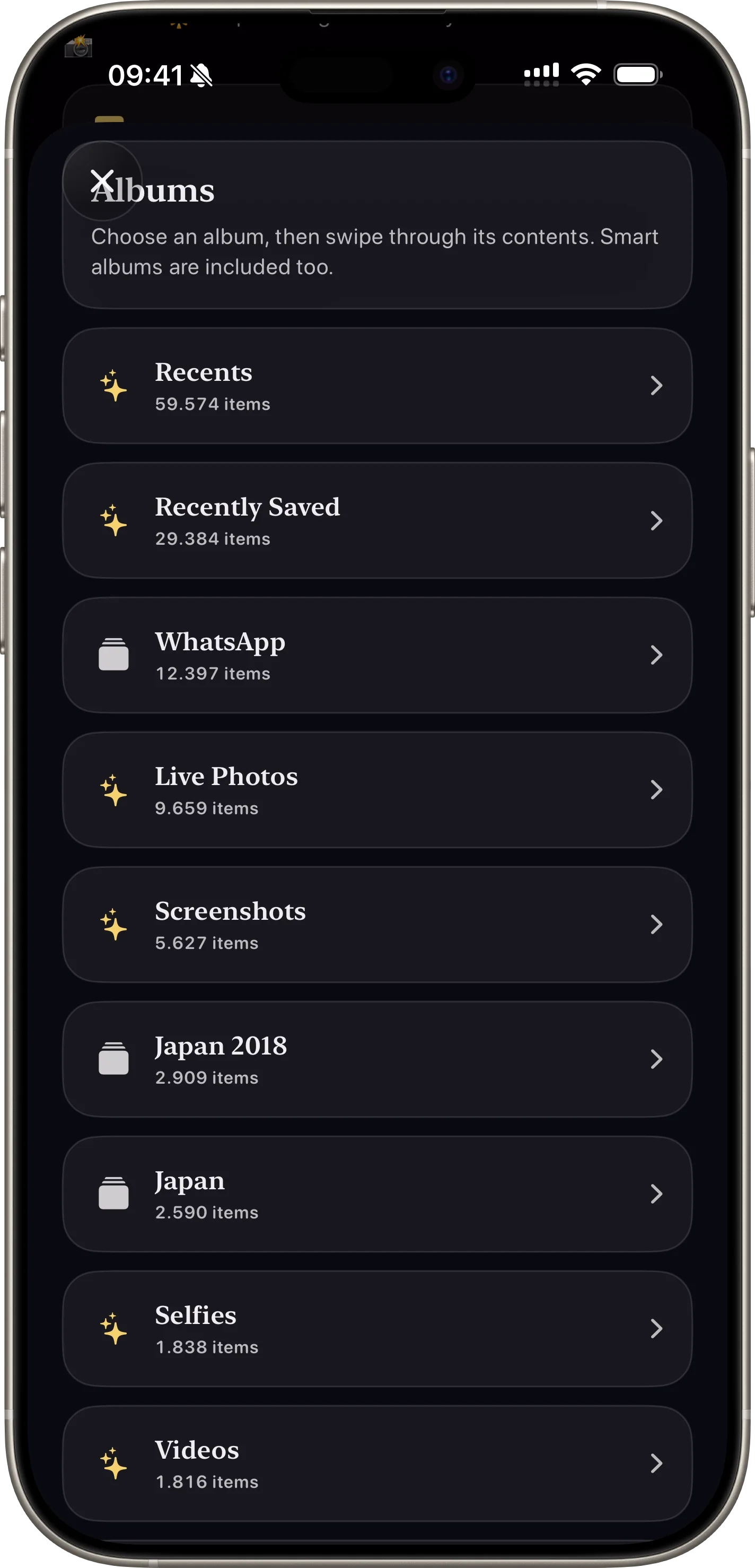
photo cleanup categories
Users can clean by screenshots, videos, favorites, or specific albums.
View Feature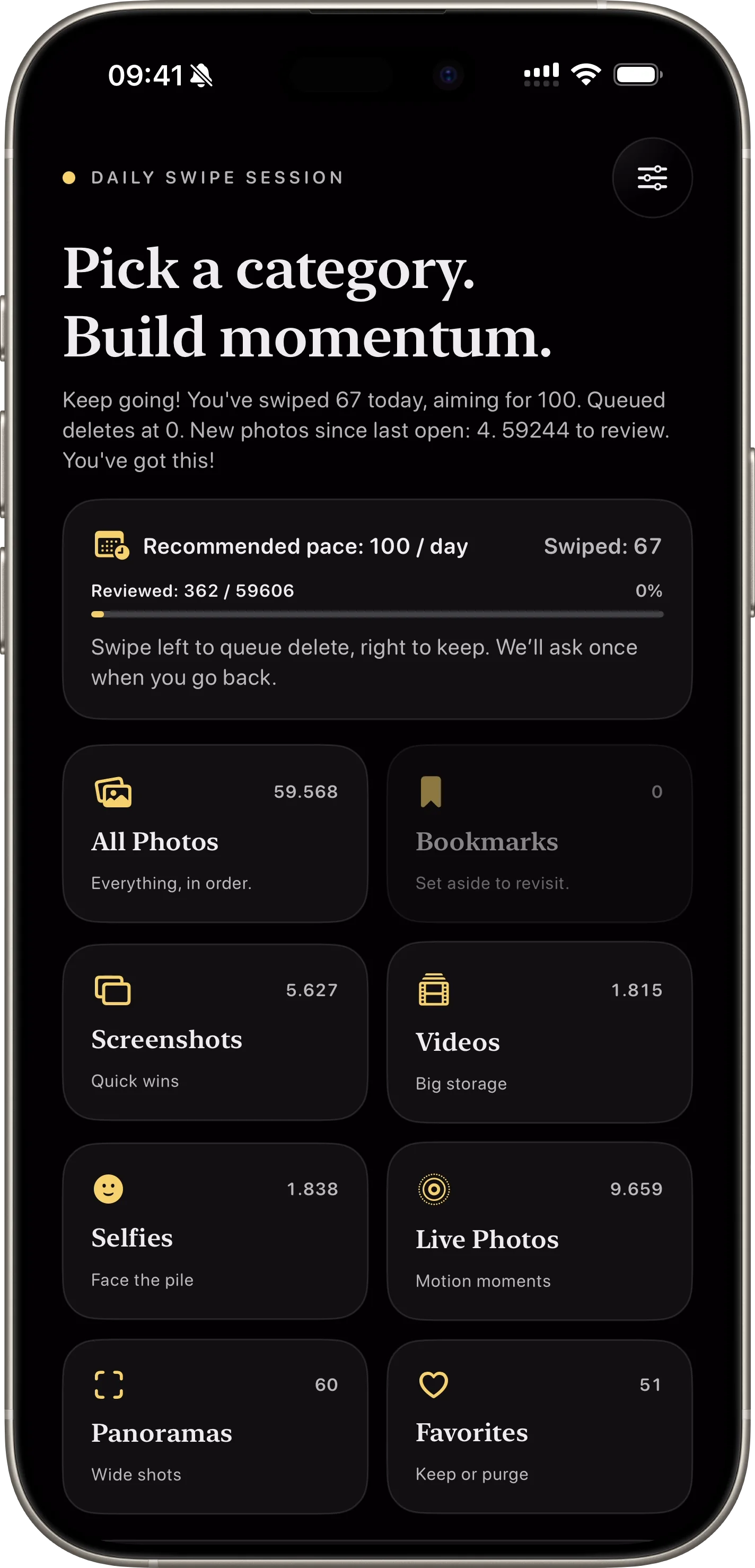
daily photo cleanup habit
Habit-based cleanup keeps progress consistent without overwhelming sessions.
View Feature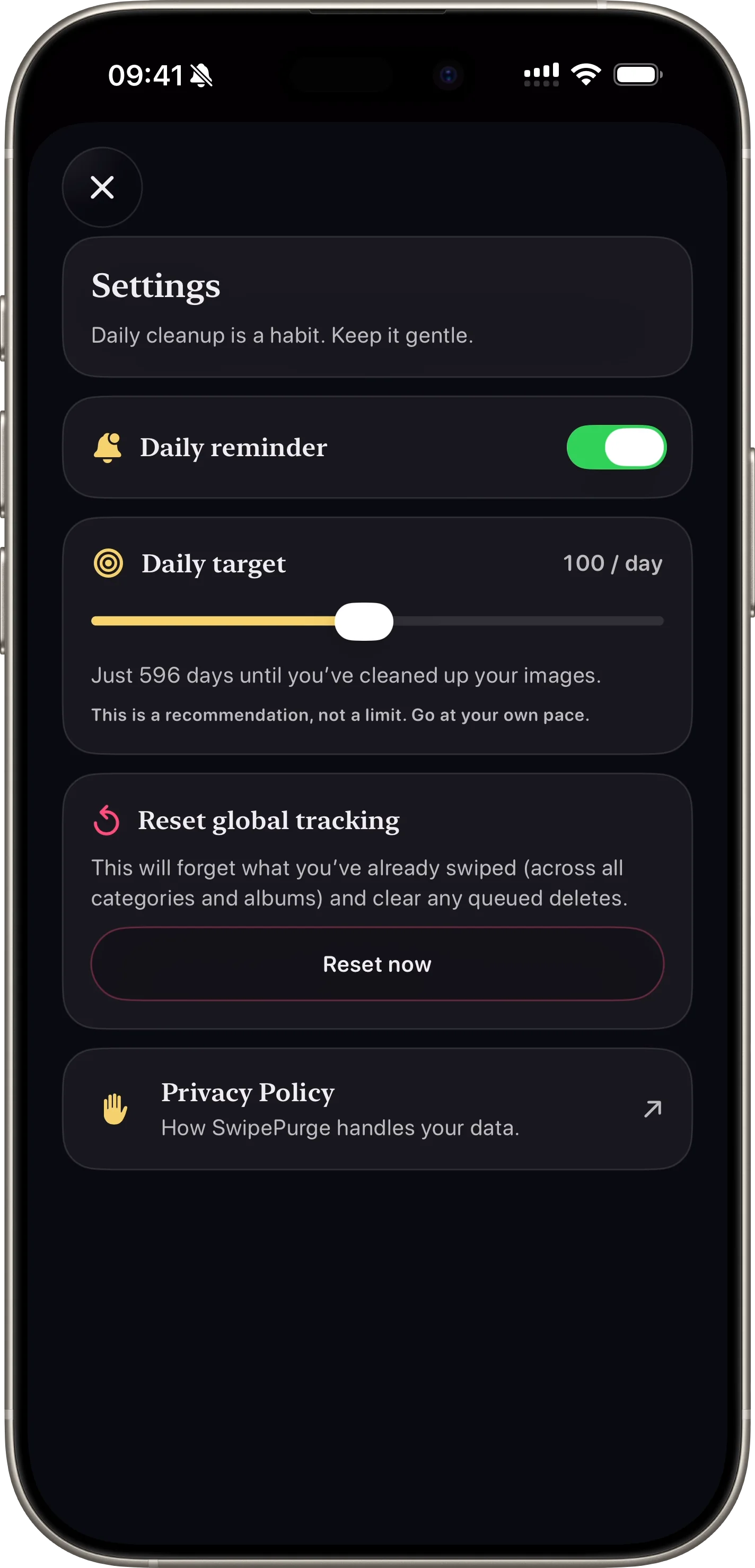
iphone storage saved
Track reviewed photos, total deletions, and estimated space saved.
View FeatureWatch App Preview
SwipePurge never deletes instantly. Every left swipe is queued first, then confirmed in one final review.
Download on the App StoreFeature-level differences users usually ask about before installing a photo cleaner app.
| Cleanup goal | SwipePurge | Manual camera roll cleanup |
|---|---|---|
| Process a large library quickly | One-thumb left/right swipes keep momentum high | Open, select, and delete flow breaks pace |
| Avoid accidental deletion | Queue-first delete with one final review confirmation | Easy to delete in batches without safety checkpoint |
| Target only one media type | Use dedicated lanes for screenshots, videos, or albums | Requires repeated filter and selection work |
| Measure cleanup progress over time | Track reviewed, deleted, and storage reclaimed in-app | No unified progress signal across sessions |
SwipePurge helps people reduce photo clutter with a repeatable daily habit, not an exhausting one-time purge.
FAQ
Photos are queued first. Users confirm deletion in a final review step, which reduces accidental removal risk.
Yes. SwipePurge has category and album lanes so users can target screenshots, videos, favorites, and specific albums.
Yes. The app tracks reviewed and deleted totals plus estimated storage reclaimed so users can measure concrete progress.
Yes. Users can set a daily swipe goal and optional reminder notifications to build a repeatable cleanup habit.